
Having any kind of digital footprint on the internet exposes you to the possibility of some kind of security threat. Hackers manually try numerous tactics to identify and steal resources. Some are done with them typing numerous commands and running scripts to try to get what they want. Others are done via bots (automated scripts to regularly perform tasks over the internet) and other various automated means. One way to slow the bots down is by using Google’s reCAPTCHA.
reCAPTCHA is Google’s improved iteration of their CAPTCHA system. The system provides a service to websites that will help determine if bots or an actual person is trying to access your site. Bots run the risk of performing malicious actions or using your site’s resources in undesirable ways.
Here’s a guide to adding this useful service to your site if you have WordPress.
Requirements
- Google Account
- Site Key (provided by reCAPTCHA)
- Secret Key (provided by reCAPTCHA)
Steps
- Head over to https://www.google.com/recaptcha.
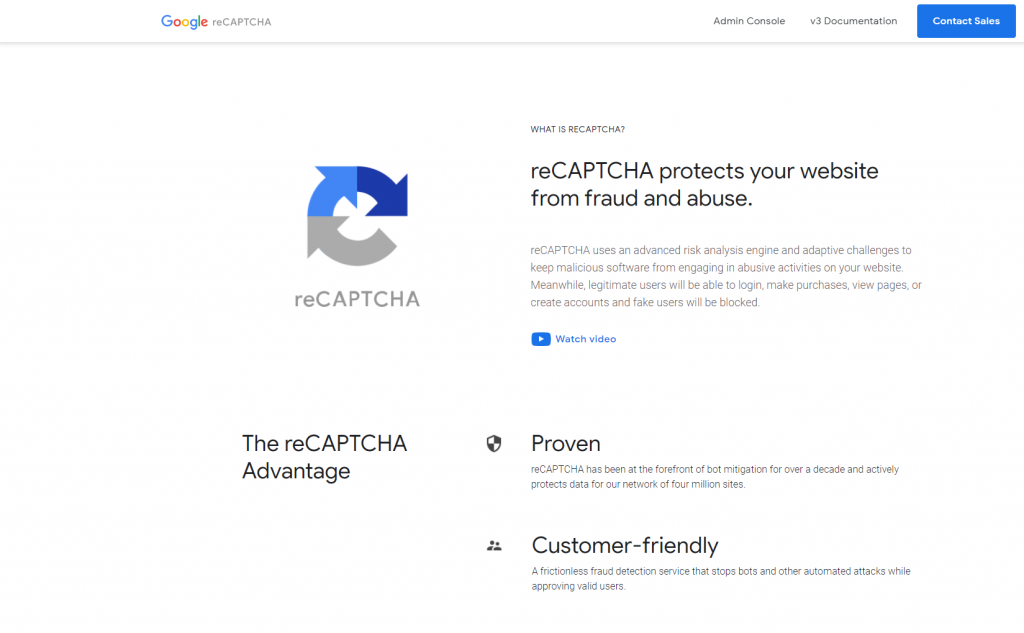
2. Login with a google account.
3.Select Admin Console
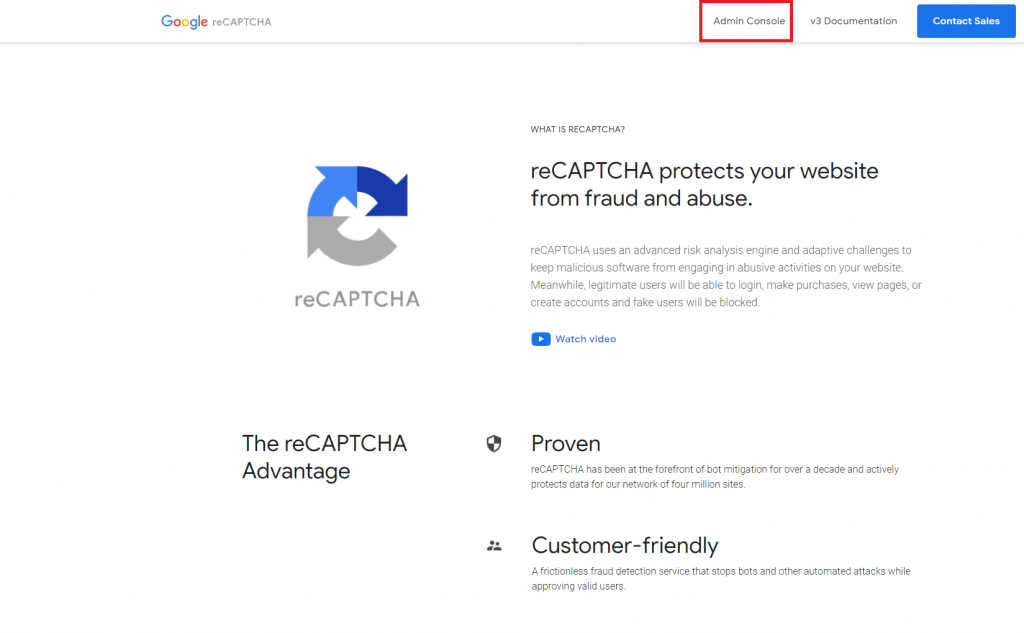
If you have never added a site, the page to create keys for reCAPTCHA will look similar to this:
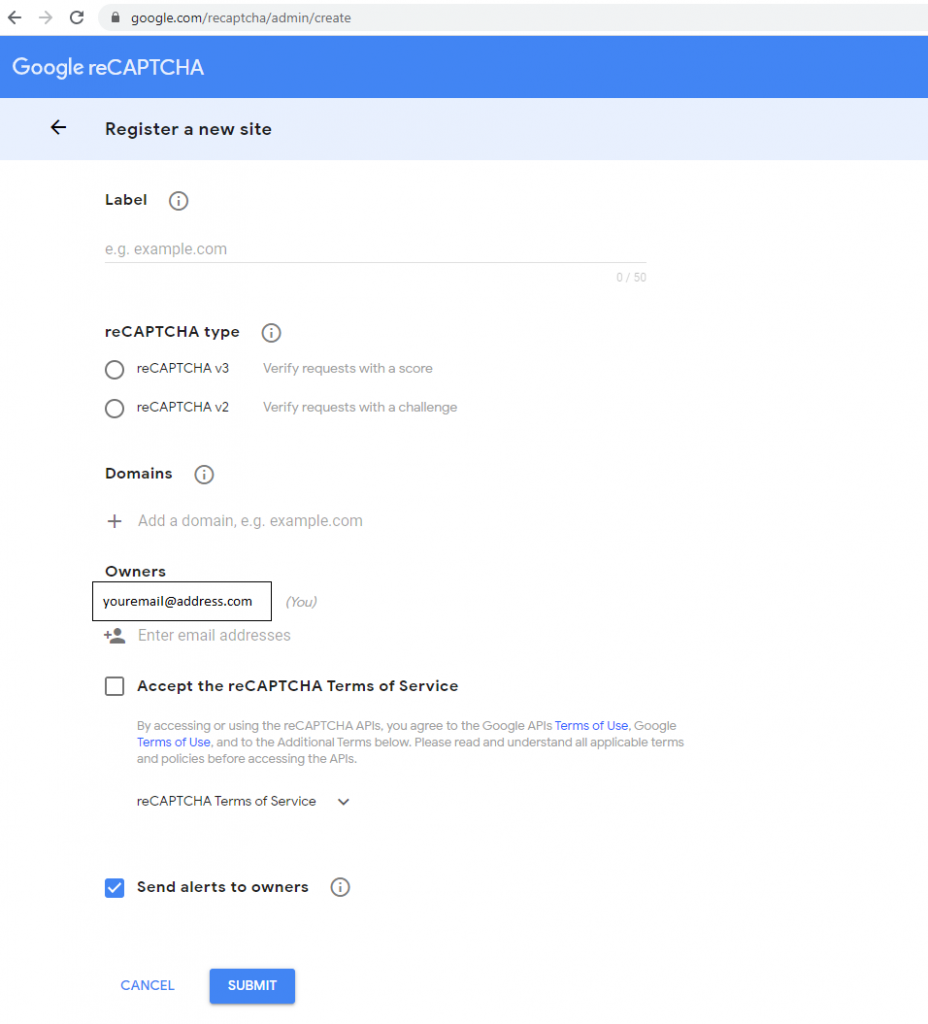
4. Enter a label name for your new set of reCAPTCHA keys:
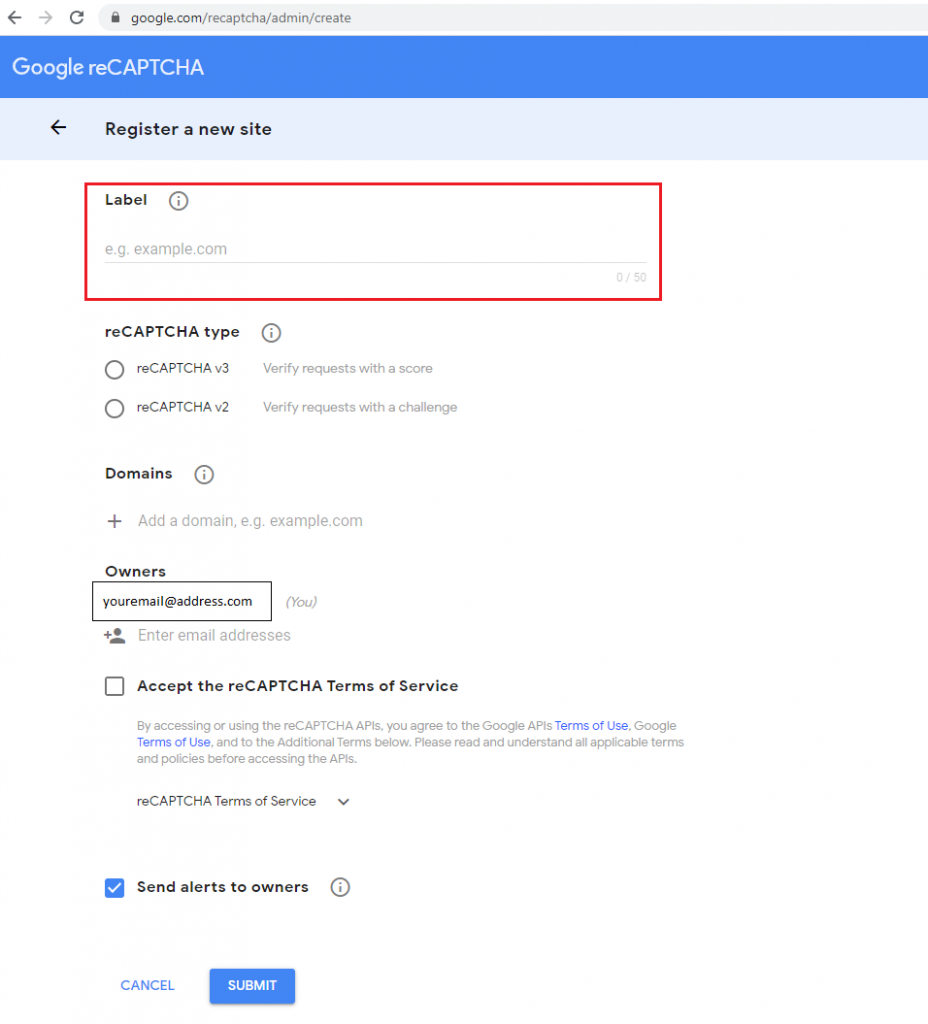
5. Select reCAPTCHA v3.

6. Add your website domain(s) to the Domains section:
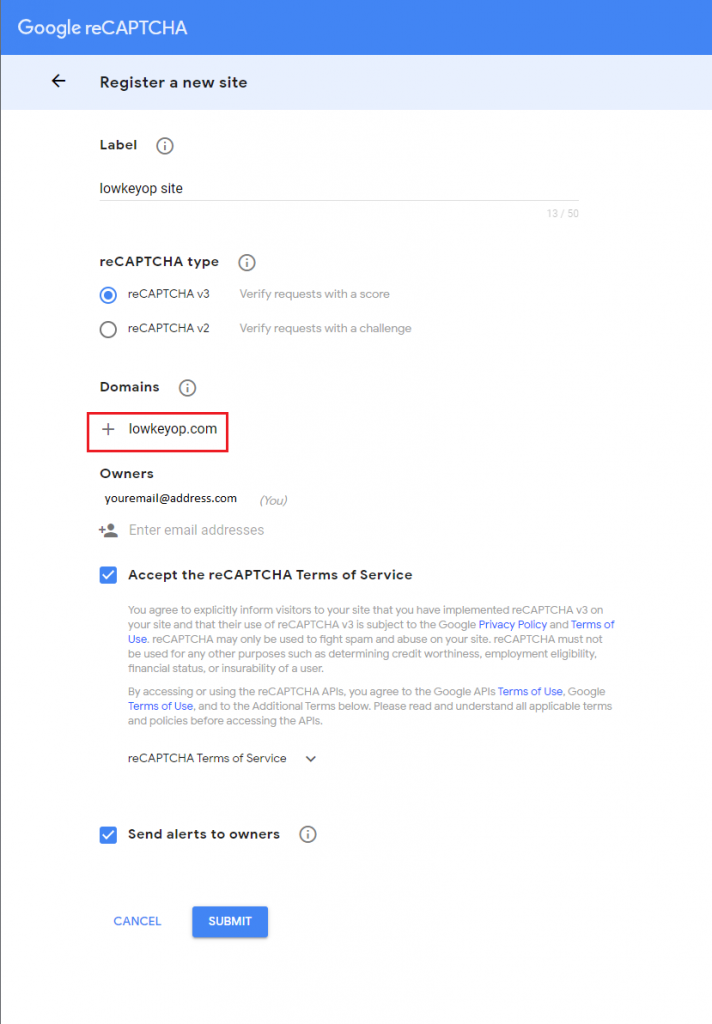
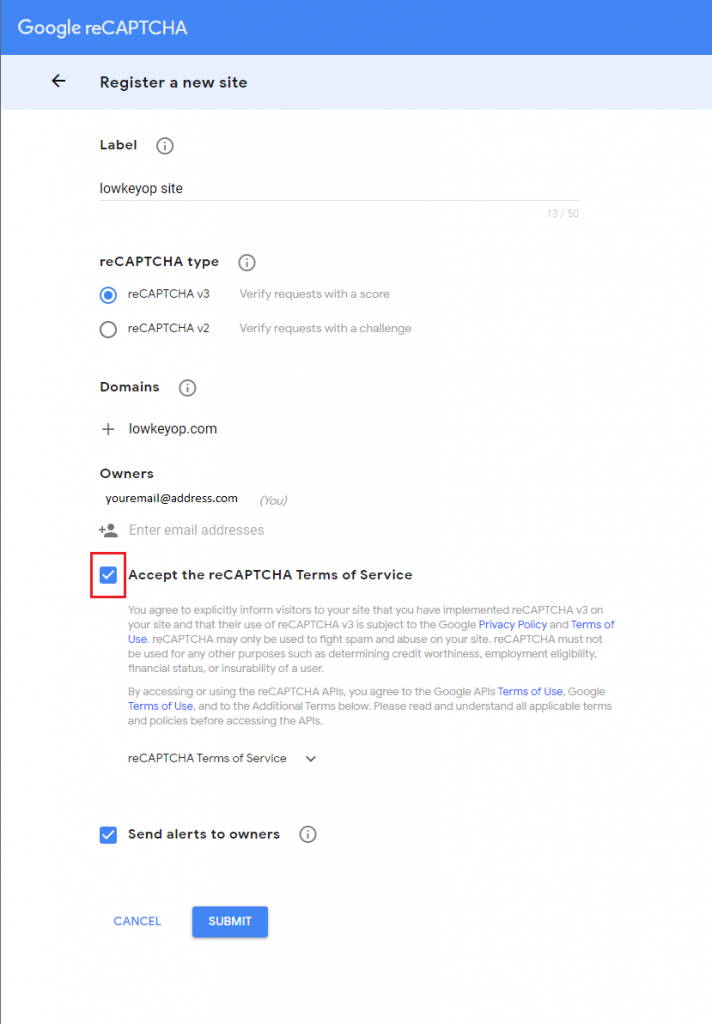
7. Click the checkbox for “Accept the reCAPTCHA Terms of Service”. Note: Send alerts is optional
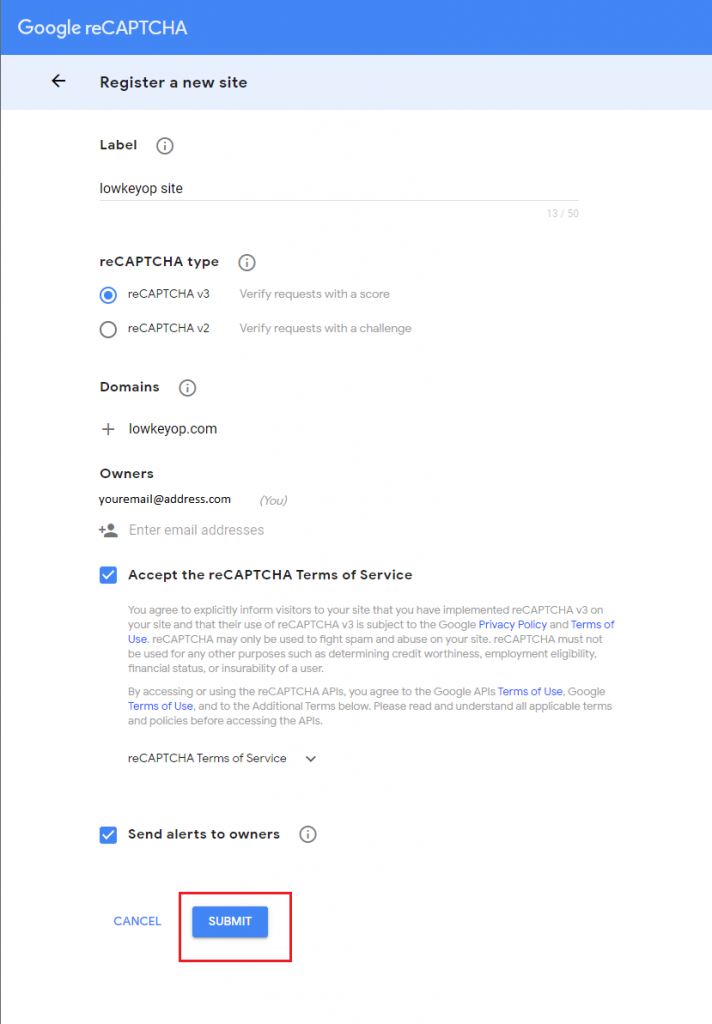
8. Click the Submit Button
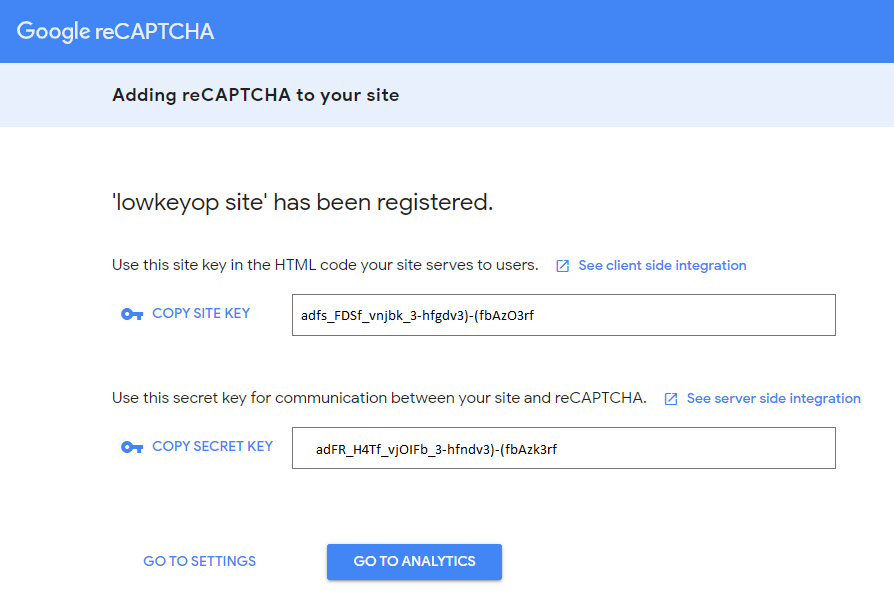
9. You’ll be forwarded to a page view displaying your needed Site key and Secret key for reCAPTCHA.
10. Go to your WordPress site’s admin page.
11. Add a Plugin called Contact Form 7.
12. Activate Contact Form 7.
13. A Contact menu should appear in your Dashboard menu section. Click Contact and then Integration
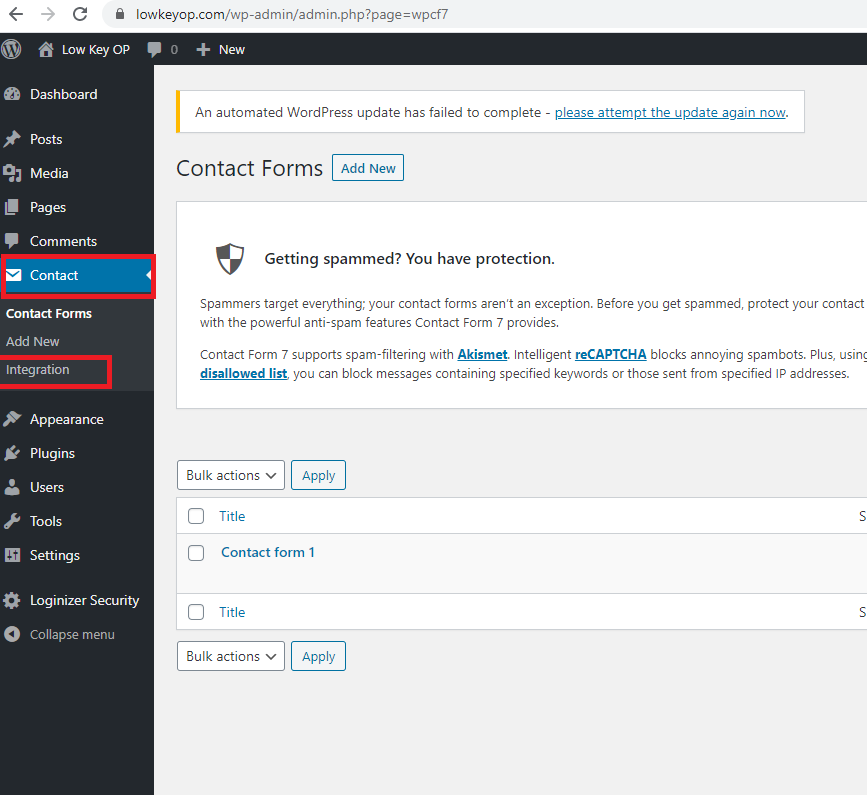
14. Here you’ll see a sub panel labeled reCAPTCHA. Click the “Setup Integration” button
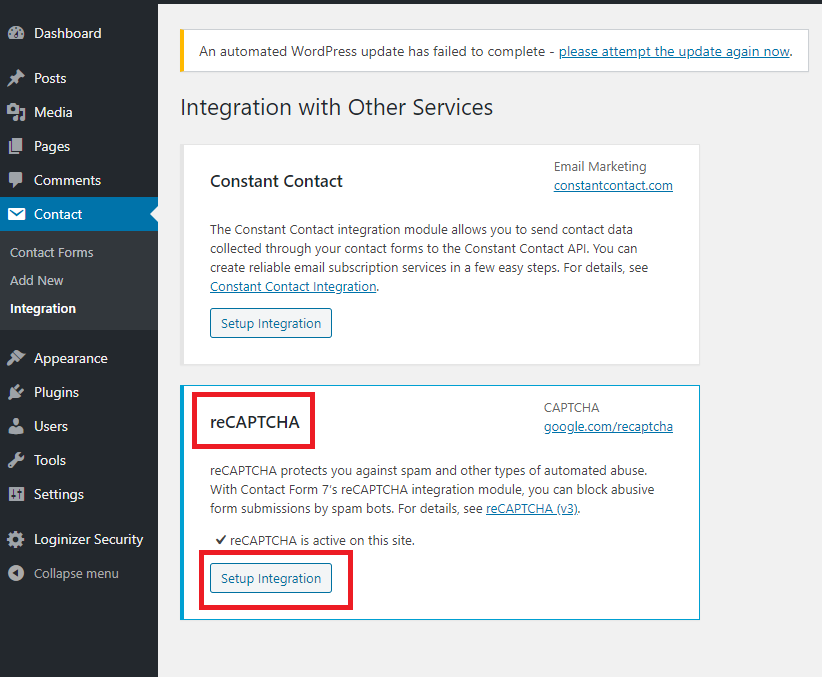
15. From here take the Site key and Secret key generated from Google’s reCAPTCHA system for your site and place it in the required fields of your reCAPTCHA admin form.

16. Click Save Changes.
You now have reCAPTCHA enabled on your website. The neat thing about using reCAPTCHA v3 instead of the previous versions is that it validates you’re not a bot in the background. There is no longer a need to read blurred and distorted text or even answer those fickle “select all the square with stop signs” quizzes. reCAPTCHA v3 works off a weighted scale to determine if you’re a bot or not.
If there’s any more questions or comments please feel free to discuss below. Enjoy!
Cordell Kennerly

Cordell Kennerly has worked in various capacities of Software Development and Engineering for over 10 years. In parallel with gaining experience in software development, he has experience with RDBMS and No-SQL databases, and software deployment, PC building and Security
0 thoughts on “Adding ReCAPTCHA to Your Site”